 Skip to content
To connect Google Business Profile to Google Analytics, you do not use a direct link, because Google offers no native one-click integration between them. Instead, you add UTM parameters to the website link inside your Google Business Profile, so every visitor who clicks through from your listing lands with tracking tags that GA4 records under Traffic acquisition. This routes Business Profile traffic into Google Analytics 4 as a named source you can measure, while Business Profile keeps its own Performance insights for calls, directions, and listing views.
What Does Connecting Google Business Profile to Google Analytics Mean?
Connecting Google Business Profile to Google Analytics means making the visits that start on your Google listing visible inside GA4, not pairing two accounts through a settings toggle. Google Business Profile and Google Analytics measure different stages of the customer journey. Business Profile tracks what happens on the listing itself, such as map views, calls, and direction requests. Google Analytics tracks what happens after a visitor reaches your website. The bridge between them is the website-link click, and that click is what you tag so GA4 can attribute it correctly.
The distinction matters because most guides imply a link button that does not exist. There is no field in either product that binds a Business Profile to a GA4 property the way you connect a website to a property. What you actually build is a tracked pathway, where the website URL in your profile carries campaign tags. Setting this up correctly is a core part of local-search measurement, which is one reason it features in our SEO services for service-based businesses.
Why Is There No Native Business Profile to Analytics Link?
There is no native Business Profile to Analytics link because the two products were built for different measurement layers and Google never merged their reporting. Google Business Profile reports on listing interactions through its Performance section, while Google Analytics reports on website behaviour through event tracking. The retirement of the old Google My Business Insights API and the move to the newer Business Profile Performance API changed how listing data is accessed, but neither change created a direct GA4 connector. The gap is by design, not an oversight you can configure around.
Understanding the gap saves hours of searching for a button that is not there. Business owners often assume the connection works like linking Google Ads to GA4, which does use a real product link inside the Analytics admin panel. Local search behaves differently. The practical consequence is that UTM tagging is the supported method, and it has been the recommended approach across the local-SEO field for years. For the wider local-search context, our local SEO guide for service businesses covers where listing tracking fits in the funnel.
How Do You Track Business Profile Traffic in GA4?
You track Business Profile traffic in GA4 by adding UTM parameters to the website URL in your listing, which labels every click with a source, medium, and campaign. UTM parameters are short tags appended to a URL that GA4 reads automatically and files under the GA4 Traffic acquisition report. Once the tagged URL is live in your profile, every visitor who taps your website link arrives carrying those tags, and GA4 separates them from generic organic search. The table below shows the standard tag set to use for a Business Profile link.
| UTM Parameter | Recommended Value | What It Does |
| utm_source | Names the origin of the click as Google | |
| utm_medium | organic_gbp | Separates listing clicks from paid and generic organic |
| utm_campaign | business_profile | Groups all listing-driven sessions together |
| utm_content | main_listing | Optional, separates multiple locations or links |
The medium value is the field that most people get wrong, and it decides how clean your reporting stays. Using a custom medium like organic_gbp keeps listing traffic out of the default organic bucket, so you can prove the listing drives sessions. Avoid leaving the website link untagged, because untagged clicks fall into the generic google / organic group and become impossible to isolate. The same campaign-tracking discipline underpins how we measure return on local search in our breakdown of how to improve marketing ROI.
How Do You Build the UTM-Tagged URL for Your Listing?
You build the UTM-tagged URL by taking your website address and appending the campaign tags in a single string, then pasting it into the website field of your Business Profile. The process takes about five minutes and needs no developer. Start with your destination page, add a question mark, then chain the parameters with ampersands. Google’s Campaign URL Builder generates this string for you if you prefer not to type it by hand, and it prevents the formatting errors that break tracking.
Follow these steps in order to build and install the tagged link. Each step is a hand-off you confirm before moving on, so the tracking works the first time.
1. Open Google’s Campaign URL Builder and enter your website URL.
2. Set utm_source to google, utm_medium to organic_gbp, utm_campaign to business profile.
3. Copy the full generated URL with all parameters attached.
4. Sign in to your Business Profile and open the Edit profile panel.
5. Paste the tagged URL into the website field and save.
6. Click your own listing link once and confirm the visit appears in GA4 Realtime.
The final confirmation step is the one to never skip, because it proves the tagging works before you rely on the data. A tagged link that was pasted with a broken parameter sends visitors through but records nothing useful, and you only catch it by testing a live click against the GA4 Realtime report.
Where Do You See Business Profile Traffic in GA4?
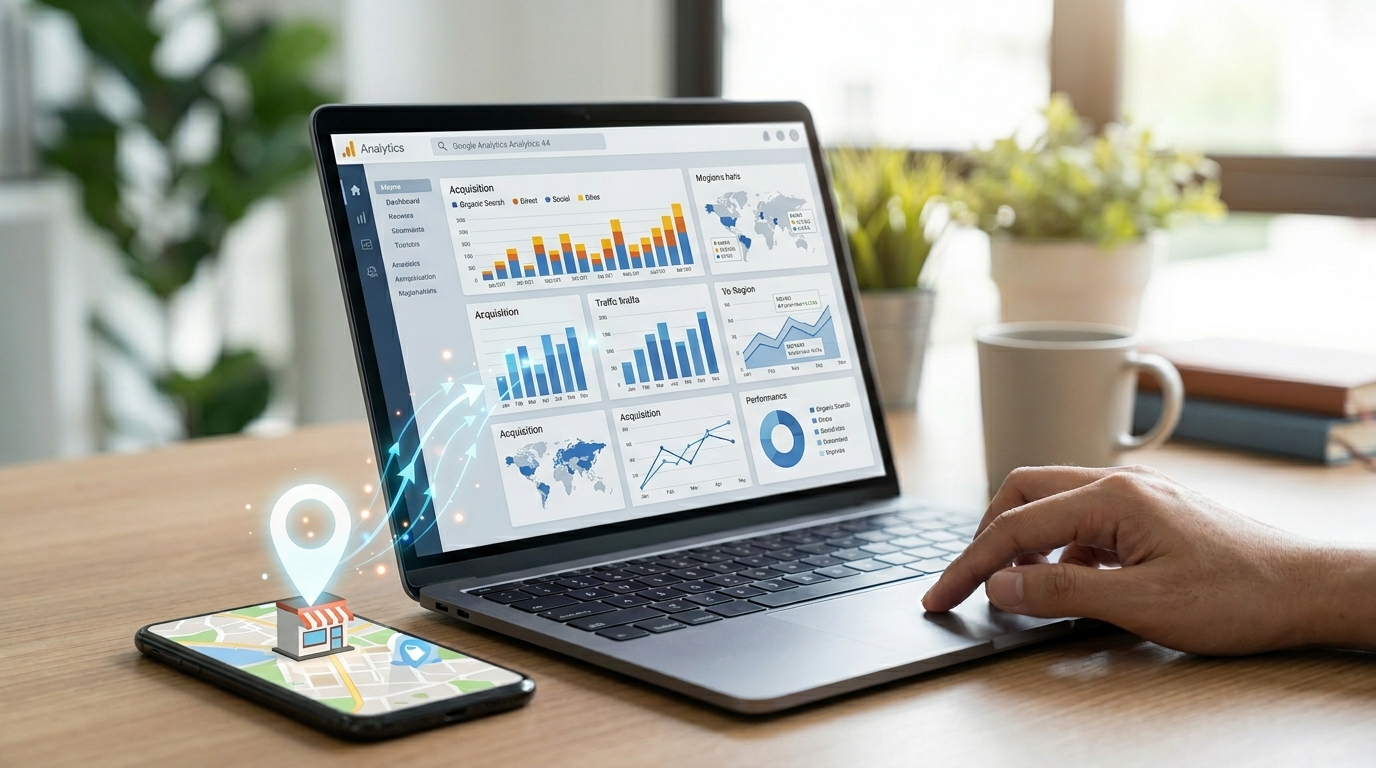
You see Business Profile traffic in GA4 under Reports, then Acquisition, then Traffic acquisition, filtered by your campaign tags. The Traffic acquisition report lists sessions by source and medium, so your organic_gbp medium appears as its own row once tagged clicks arrive. You can add a secondary dimension of Session campaign to isolate the business_profile campaign, then track sessions, engagement rate, and conversions from that segment over time. This turns a vague sense that the listing helps into a measured number.
Setting up a saved comparison or a simple exploration makes the data repeatable. Build a GA4 Exploration with source/medium as the row and your key conversion as the value, and you have a standing report of what the listing produces. This level of measurement is what separates guesswork from managed local search, and it connects directly to how Google Ads and organic data sit side by side, a topic covered in our profitable Google Ads guide for service businesses.
What Does Business Profile Performance Show vs Google Analytics?
Business Profile Performance and Google Analytics show different halves of the same journey, and you need both to see the full picture. The Business Profile Performance reports on-listing actions like searches that surfaced your profile, calls, messages, bookings, and direction requests. Google Analytics reports on-site behaviour like sessions, pages viewed, engagement, and conversions. Neither replaces the other. The table below maps which metric lives where so you stop looking for website data inside the listing and listing data inside GA4.
| Metric | Google Business Profile | Google Analytics 4 |
| Listing views and searches | Yes (Performance) | No |
| Calls and direction requests | Yes (Performance) | No |
| Website clicks from listing | Yes (count only) | Yes (with UTM tags) |
| On-site sessions and conversions | No | Yes |
| Revenue and goal completions | No | Yes |
Reading both reports together is where the insight lives. Business Profile tells you how many people clicked through to the site, and GA4 tells you what those people did once they arrived. When the listing shows high website clicks but GA4 shows low engagement from that segment, the problem is the landing page, not the listing. That diagnostic split is only possible when the website link carries UTM tags, which is why the tagging step is the foundation of the whole setup.
How Do You Combine Business Profile and GA4 Data in Looker Studio?
You combine Business Profile and GA4 data in Looker Studio by connecting both as data sources on one dashboard, giving you listing actions and website behaviour in a single view. Looker Studio, formerly Google Data Studio, pulls the GA4 property directly and pulls Business Profile data through the Business Profile Performance connector. On one page you can show listing views and calls next to website sessions and conversions from the organic_gbp medium, which gives a complete local-search scorecard for a client or a location.
A combined dashboard is the deliverable that makes local-search value obvious to a business owner. Rather than asking a client to open two products and mentally stitch the numbers, you present one report that traces the path from listing impression to website conversion. Building these reporting layers is part of turning raw analytics into decisions, which is the throughline of our guide to marketing analytics.
What Mistakes Break Business Profile Tracking in GA4?
The mistakes that break Business Profile tracking in GA4 are almost always tagging errors or missing tags, not GA4 configuration faults. The most common is leaving the website link untagged, which dumps listing clicks into the generic organic bucket where they cannot be separated. The second is using a medium of organic, which collides with standard organic search and defeats the whole purpose. The third is a malformed UTM string from manual typing, which sends the visitor through but records broken or empty source data.
Three more errors trip up multi-location and agency setups. Inconsistent campaign names across locations make rollup reporting impossible, so standardise the campaign value before launch. Forgetting to retag after a website redesign breaks every listing link at once. Skipping the Realtime test means a broken tag can run for weeks before anyone notices the missing data. Each of these is avoidable with a five-minute check, and catching them early is part of the measurement discipline we apply across local-search accounts.
Why Work With Osama Naseem on Local Search Tracking
Osama Naseem is an SEO consultant who builds measurement systems for service-based businesses, with a focus on connecting local search to revenue rather than vanity metrics. The approach treats Google Business Profile and Google Analytics as one funnel, tagged and reported through our local-search SEO services so a business owner can see which listing actions turn into website conversions. This article reflects the same setup applied across client accounts, where the UTM-tagged listing link and a combined dashboard form the standard reporting layer.
Osama Naseem is an SEO and digital-marketing consultant who has built search and analytics systems for service businesses across Pakistan, the UAE, and beyond. His work centers on measurable local-search growth, technical SEO, and analytics reporting that ties rankings to leads. Connect on LinkedIn or read more of his practitioner guides on osamanaseem.com.
The practical next step for a business that wants this done right is short. Confirm your GA4 property is live, tag your Business Profile website link, and build one combined dashboard, or hand the whole setup to a consultant who does it daily. To scope a local-search measurement build for your business, reach out through the contact page with your website and listing details.
Final Word
Connecting Google Business Profile to Google Analytics is a tagging task, not a settings toggle, and that single reframe is what most guides miss. You add UTM parameters to your listing website link, confirm the clicks land in GA4 under a custom medium, and read Business Profile Performance and GA4 side by side to see the full local-search journey. Done once and tested, the setup turns your listing from an unmeasured asset into a tracked source of leads and revenue.
For a business that wants local search measured properly from listing impression to website conversion, scope a tracking and analytics build through our SEO consulting services and start proving what your Google Business Profile actually delivers.
Frequently Asked Questions
How do I link Google My Business to Google Analytics?
You cannot link Google My Business, now Google Business Profile, to Google Analytics through a direct connector, because none exists. Instead, add UTM parameters to the website link inside your Business Profile so GA4 records those clicks under Traffic acquisition. Use utm_source google, utm_medium organic_gbp, and utm_campaign business_profile for clean reporting.
How do I see Google Business Profile analytics?
You see Google Business Profile analytics in the Performance section of your profile, which reports searches that surfaced your listing, calls, messages, bookings, and direction requests. For website behaviour after the click, you use Google Analytics 4. The two reports cover different stages, so check Performance for listing actions and GA4 for on-site results.
Is Google Analytics free?
Yes, Google Analytics 4 is free for the vast majority of businesses. The standard version handles the data volumes that small and mid-sized companies generate at no cost. A paid tier, GA4 360, exists for enterprises with very high traffic and advanced needs, but most service businesses never approach those limits and run entirely on the free version.
How do I connect Google Analytics to Google Ads?
You connect Google Analytics to Google Ads through a real product link, unlike Business Profile. Open the GA4 Admin panel, find Product links, select Google Ads links, and follow the prompt to link your Ads account. This connection shares conversion and audience data both ways, which improves bidding and lets you import GA4 conversions into Google Ads.
Why is my Business Profile traffic not showing in GA4?
Your Business Profile traffic is not showing in GA4 because the website link is untagged or the UTM string is broken. Untagged clicks fall into the generic google organic bucket and cannot be isolated. Fix it by adding utm_source, utm_medium, and utm_campaign tags to the listing link, then test a live click against the GA4 Realtime report to confirm tracking works.
What UTM medium should I use for Google Business Profile?
Use a custom UTM medium such as organic_gbp for Google Business Profile, not the plain value organic. A custom medium keeps listing clicks separate from standard organic search results in GA4, so you can measure the listing as its own channel. Keep the value identical across all locations to allow clean rollup reporting in your dashboard.
Can I add a website to Google Analytics without a Business Profile?
Yes, you add a website to Google Analytics independently of any Business Profile by creating a GA4 property and installing the tag on your site. The two are separate systems. A Business Profile is not required for GA4, and GA4 is not required for a Business Profile, though tagging the listing link is what lets you measure one inside the other.
